Software vendors sometimes encounter G2 reviews they believe are inaccurate, suspicious, or inconsistent with the platform’s published rules. But disagreeing with a review does not necessarily mean it qualifies for removal.
If your company has identified a potentially problematic review, understanding how to report a G2 review is an important first step.
G2 provides an official reporting process through which businesses and other community members can raise concerns about published reviews. The purpose is to request a policy-based assessment, not to remove feedback simply because it is unfavorable.
This guide explains when reporting may be appropriate, how to submit a concern, what information to prepare, and what to expect afterward.
Quick Answer
To report a G2 review, sign in to G2, locate the published review, select the three-dot menu, and choose Report a Concern. Explain the suspected policy issue with specific, relevant details and submit your concern for G2’s moderation team to evaluate.
Can Software Vendors Report a G2 Review?
Yes. Software vendors can report published G2 reviews when they have a reasonable concern that the content may violate the platform’s Community Guidelines.
G2 allows community members to flag reviews for further moderation. Businesses can use this mechanism to raise concerns about authenticity, potential conflicts of interest, and other policy-related issues.
However, submitting a report does not give a vendor control over the review or its publication status.
G2 determines whether a review complies with its rules. The platform does not automatically remove a review because a business disputes the writer’s experience or believes the feedback is unfair.
Reporting is a request for moderation, not a guarantee of removal.
When Is a G2 Review Worth Reporting?
Before submitting a concern, review the content and consider whether it may conflict with a specific G2 policy.
The following situations may warrant closer examination.
Possible Authenticity Concerns
A review may raise authenticity questions when there are identifiable reasons to doubt that it reflects a genuine experience with the product.
Examples could include specific contradictions about the reviewer’s claimed use of the software or other relevant information suggesting that the experience may not be authentic.
Suspicion alone is not proof. A vendor should describe the particular concern and explain what supports it.
A review should not be considered fake merely because the company cannot immediately identify the reviewer in its customer records. Some legitimate users may access software through employers, partners, trials, or other arrangements.
For a more detailed discussion, read Can Fake G2 Reviews Be Removed?.
Potential Conflicts of Interest
G2’s Community Guidelines restrict certain biased reviews, including reviews submitted by employees of the product’s company or employees of a direct competitor.
If a company has credible, appropriately obtained information suggesting a prohibited relationship, that concern may be relevant to a moderation request.
The report should explain the suspected conflict without making unsupported accusations or attempting to obtain a reviewer’s private information.
Content That May Violate G2’s Guidelines
Other potential issues include prohibited harassment, unauthorized disclosure of confidential third-party information, spam, or copied content.
The relevant issue should be identified as precisely as possible.
For example, a concern involving confidential information requires a different explanation from one involving an alleged conflict of interest.
What does not automatically qualify?
A negative rating, critical language, an anonymous review, or feedback that a vendor considers incomplete does not automatically violate G2’s rules.
For more context, see Can Companies Remove Negative G2 Reviews?.
How to Report a G2 Review Step by Step
G2 provides a public-facing reporting option for published reviews. The following process follows its official reporting instructions.
Step 1: Review the Guidelines and Identify Your Concern
Before reporting, read the relevant sections of the G2 Community Guidelines.
Identify what you believe the review may violate and separate supporting facts from assumptions or disagreements.
If possible, make a note of the relevant policy and the specific content that prompted your concern.
This preparation makes it easier to explain the issue clearly when completing the reporting form.
Step 2: Find the Review and Open the Reporting Option
Sign in to your G2 account and navigate to the review you want to report.
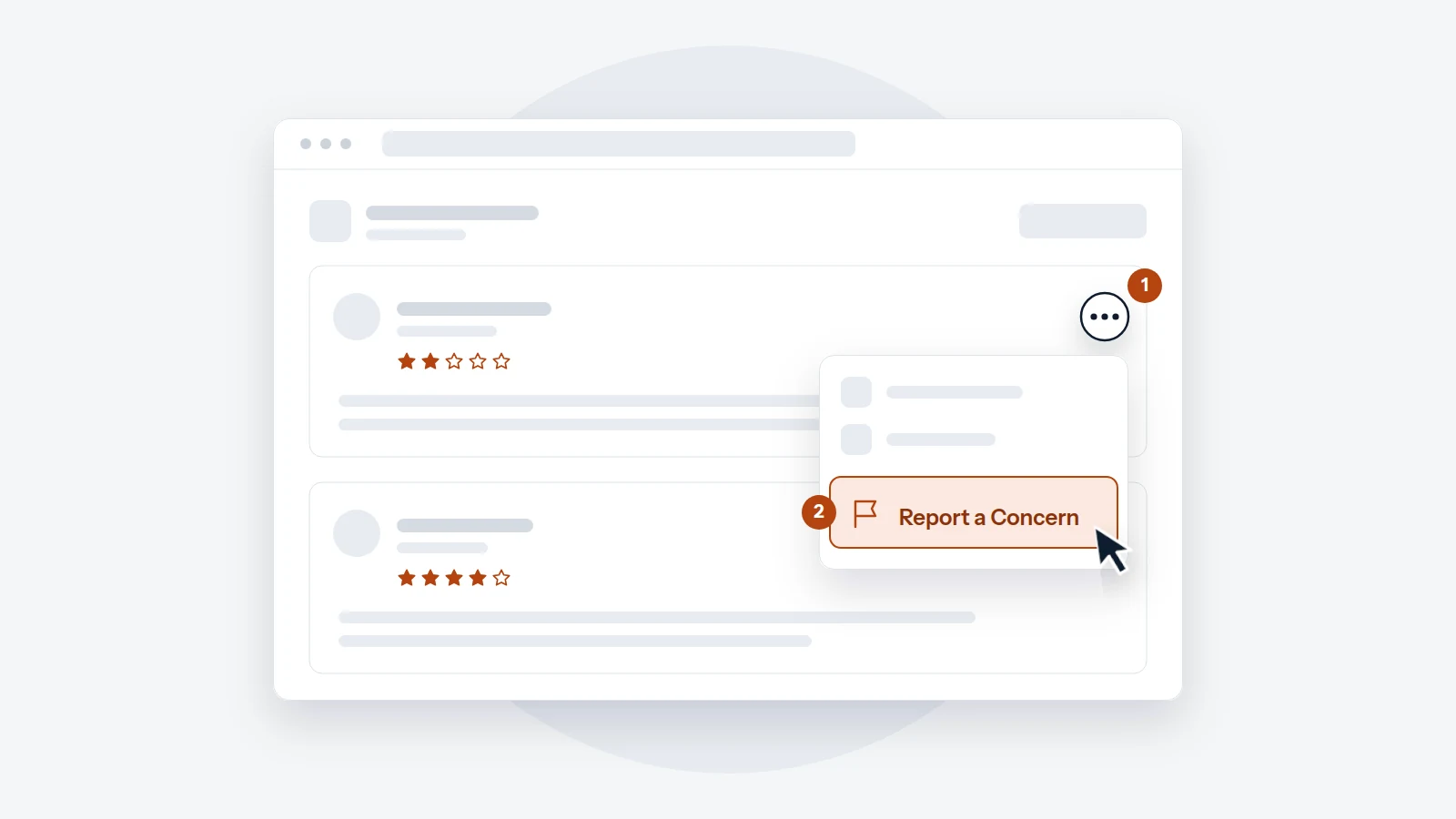
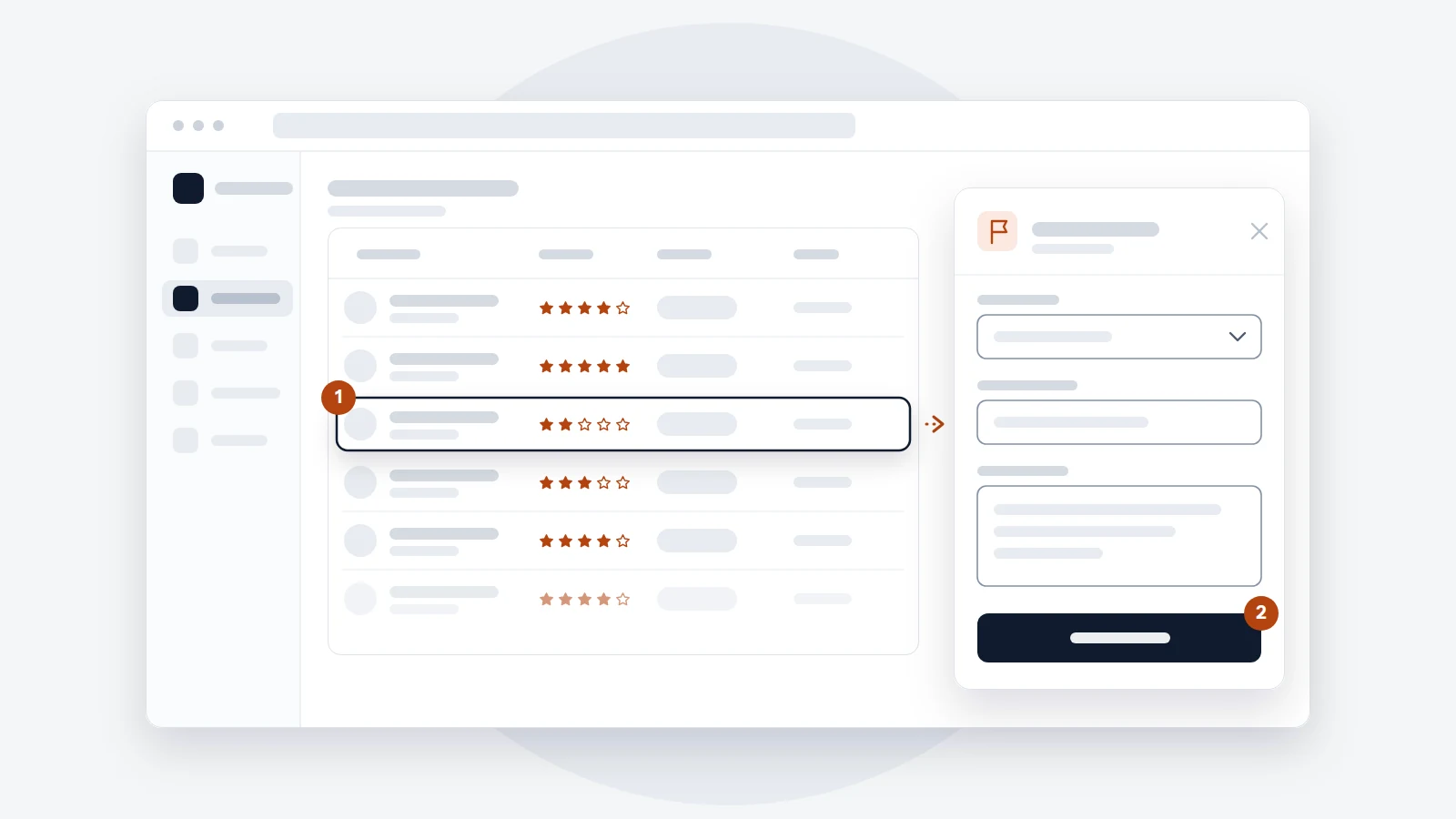
Locate the three-dot menu in the upper-right corner of the review and select Report a Concern.
This opens G2’s reporting process for the selected review.
The available interface may change over time, so refer to G2’s official reporting instructions if the controls appear differently.
Step 3: Explain the Suspected Violation
Complete the reporting form with a clear explanation of why the review may conflict with G2’s policies.
Focus on specific information rather than the review’s rating or tone.
A useful explanation identifies the review, describes the suspected issue, and explains the basis for the concern.
Avoid statements that simply demand removal or accuse the reviewer of dishonesty without supporting information.
Once the relevant details are complete, submit the concern using the option provided by G2.
Step 4: Keep the Confirmation and Prepare Supporting Evidence
Retain the review URL, a copy of your explanation, and any confirmation associated with the submission.
G2’s Review Validity guidance explains that supporting documents or screenshots can be provided by replying to the confirmation email received after reporting.
If supporting evidence is relevant, prepare it carefully and share it through the appropriate channel.
Avoid including unrelated customer records, sensitive personal information, or material you are not authorized to disclose.
These steps help maintain an organized record of the concern without assuming that G2 will reach a particular conclusion.
How to Report a Review Through my.G2
Software vendors with access to G2’s seller dashboard may also be able to submit concerns directly from my.G2.
According to G2’s Review Activity documentation, the process is:
- Sign in to my.G2.
- Navigate to Reviews → Review Activity.
- Locate the review in the Reviews found table.
- Select Read review.
- Open the ellipsis menu and choose Report a concern.
- Enter a title, select the relevant reason, and describe the concern in the comment field.
- Select Submit Your Concern.
This dashboard workflow provides another way for an authorized software vendor to reach G2’s moderation process.
The options available to a particular account may depend on the product interface and its access permissions.
For the current instructions, refer to G2’s Review Activity documentation.
What Information Should Your G2 Review Report Include?
A useful report focuses on the suspected violation and the information that helps G2 understand it.
Before submitting, consider preparing:
- The review URL: A direct link identifying the published review.
- The product involved: The relevant software listing on G2.
- The suspected policy issue: A concise explanation of the concern.
- The specific content: The statement or part of the review that prompted your concern.
- Supporting context: Relevant facts or documentation that may help explain the issue.
- The requested action: A request for G2 to evaluate the review under its policies.
The purpose is not to create the longest possible report. It is to provide a focused explanation that connects the concern to a relevant guideline.
Example of a Policy-Based Report
The following is an illustrative template, not a claim about an actual review:
We are requesting a moderation assessment of the review at [review URL] because of a potential [specific policy concern].
The relevant part of the review is [brief description]. We believe this may conflict with [relevant G2 guideline] because [specific, factual explanation].
The supporting information available to us includes [description of appropriately obtained evidence].
We request G2’s assessment under its Community Guidelines and understand that G2 retains authority over the moderation decision.
Replace the placeholders with accurate information relevant to the review.
Do not submit fabricated evidence, unsupported allegations, or speculative claims about a reviewer’s identity.
What Happens After You Submit a Concern?
After a concern is submitted, G2 evaluates the information provided through its moderation process.
Depending on the circumstances, G2 may request additional documentation, communicate an update, or determine whether the published review should remain available.
G2’s Review Validity guidance describes follow-up communication by email when further information is required or when an update or resolution is available.
The outcome depends on the applicable policies and the specific concern.
A report does not automatically suspend, hide, or remove a published review.
If G2 concludes that the review complies with its guidelines, it may remain published even when the company strongly disagrees with its content.
For this reason, vendors should avoid assuming that submitting a detailed report guarantees a successful removal.
What If G2 Keeps the Review?
A decision to retain a review does not necessarily mean the business agrees with it.
It means the review has not been removed through the moderation process based on the information considered.
Where appropriate, a vendor may respond to the review through G2’s available response features.
A professional response can acknowledge the feedback, clarify relevant product information, and show prospective customers how the company approaches concerns.
G2 recommends responding constructively to customer feedback. The availability of review-response features may depend on the vendor’s account.
If G2 requests additional information about a reported concern, provide relevant documentation through the designated channel.
Avoid repeatedly submitting unsupported reports or attempting to pressure a reviewer to change their opinion.
A moderation request and a public response serve different purposes. One addresses a possible policy issue; the other allows a business to communicate its perspective.
Common Mistakes to Avoid When Reporting a G2 Review
A few recurring mistakes can make a concern less useful to the moderation team.
Reporting a review only because it is negative
A low rating or unfavorable opinion is not enough to establish a policy violation.
Assuming an anonymous review is automatically fake
G2 permits anonymous publication while applying its reviewer-validation requirements.
Submitting vague or unsupported allegations
Statements such as “this review cannot be real” provide limited context unless they are supported by specific information.
Sharing irrelevant or sensitive information
Only provide documentation that is relevant, appropriately obtained, and suitable for the reporting channel.
Expecting a guaranteed outcome
G2 makes the final moderation decision. Third-party providers and software vendors cannot independently delete published reviews.
A careful, evidence-based explanation is more useful than an aggressive removal demand.
Frequently Asked Questions About Reporting G2 Reviews
Can a software company report an anonymous G2 review?
Yes. A company may report an anonymous review if it has a legitimate concern about a possible policy violation. However, anonymity alone does not make a review invalid. G2 permits reviewers to publish without publicly identifying themselves.
Can I report a G2 review just because it is negative?
You can raise a concern about a review, but negative feedback alone is not grounds for removal. A meaningful moderation request should identify a possible violation of G2’s published guidelines.
Can I provide screenshots or other evidence?
Yes. G2’s Review Validity guidance explains that supporting documentation can be sent by replying to the confirmation email received after submitting a report. Share only relevant information that you are authorized to disclose.
Who decides whether a reported G2 review is removed?
G2’s moderation team determines whether a review complies with the platform’s policies. A software vendor or independent service provider cannot make that decision on G2’s behalf.
Does reporting a G2 review guarantee its removal?
No. Reporting requests a moderation assessment. G2 may retain a review if it determines that the content does not violate its applicable rules.
Official G2 Resources
For the most current reporting instructions and policy information, consult G2’s official documentation:
- G2 Community Guidelines — Rules governing review authenticity, participation, and acceptable content.
- Reporting a Review for Moderation — Instructions for submitting a concern from a published review.
- G2 Review Validity — Background on review validation, reporting concerns, and supporting documentation.
- Review Activity in my.G2 — Seller dashboard instructions for reviewing and reporting published feedback.
The procedures and interface may change over time. Refer to G2’s official resources for the latest available guidance.
Concerned About a Review on G2?
If your company has identified a review that may conflict with G2’s guidelines, learn how our independent service approaches policy-based assessments and moderation assistance.Explore Our G2 Review Removal Service