Fake G2 reviews can create legitimate concerns for software vendors, especially when a published review appears to describe an experience that never happened. However, a suspicious review is not automatically a fraudulent one.
If your company has identified a review that seems inaccurate, misleading, or inconsistent with a genuine product experience, the first step is to understand how G2 evaluates authenticity.
G2 has published guidelines governing reviewer identity, firsthand experience, conflicts of interest, and prohibited content. Reviews that violate those standards may be removed, including after publication.
This guide explains whether fake G2 reviews can be removed, which circumstances may justify closer examination, what evidence can support a concern, and how vendors can request moderation.
Quick Answer
Yes, fake G2 reviews can be removed when G2 determines that they violate its Community Guidelines. Potential grounds include fabricated product experiences, prohibited conflicts of interest, false reviewer identities, or other inauthentic activity. Software vendors can report suspected violations, but G2 makes the final moderation decision.
What Counts as a Fake G2 Review?
A fake review generally involves content presented as a genuine user experience when that experience, reviewer identity, or relevant circumstances are not authentic.
G2’s Community Guidelines require reviews to reflect honest, firsthand experiences from eligible users. The platform also prohibits deceptive activity intended to manipulate its review ecosystem.
Several types of concerns may be relevant.
Fabricated or Nonexistent Product Experiences
A review may raise authenticity concerns if it describes an experience that was invented or submitted by someone who did not actually use the product.
For example, a review might describe using a particular feature during a period when that feature was not available. If the company has reliable product documentation supporting that discrepancy, the information may warrant examination.
However, the apparent contradiction should be checked carefully. Product availability can vary by plan, deployment, location, or early-access program.
An inconsistency is a reason to investigate, not automatic proof of fabrication.
False Identities and Prohibited Conflicts of Interest
G2 prohibits reviews submitted under false identities and reviews written on behalf of someone else rather than from the writer’s own experience.
Its guidelines also restrict reviews from employees of the product’s company or employees of a direct competitor because of the potential for bias.
A suspected conflict should be supported by credible, appropriately obtained information. Similar names, assumptions about employment, or disagreements with the content do not establish that a prohibited relationship exists.
Not every business relationship is disqualifying. G2 permits certain business partners and guest users to submit reviews, subject to its labeling and scoring rules.
Copied, Manipulated, or Fabricated AI-Assisted Content
Other concerns may involve copied material, spam, coordinated manipulation, or content describing fabricated results.
The use of generative AI does not automatically make a review fake. G2 permits qualifying reviewers to use AI assistance under specific verification and content requirements.
What matters is whether the review reflects the writer’s authentic experience and satisfies the platform’s rules. AI-generated claims that invent product use or misrepresent another person’s experience may violate those requirements.
How Does G2 Verify Review Authenticity?
G2 applies reviewer-validation requirements and moderation procedures before publishing reviews. These controls are intended to reduce fraudulent activity and improve the reliability of published feedback.
According to G2’s Review Validity information, the platform uses identity verification, content analysis, fraud detection, and other moderation measures.
Reviewer Identity Verification
Reviewers must satisfy G2’s identity-validation requirements. Depending on the situation, the platform may use a professional profile, a business email address, or other accepted verification information.
These checks help G2 assess whether the person submitting a review is authentic. They do not mean a software vendor will receive access to the reviewer’s private identity information.
Experience and Content Evaluation
G2 evaluates whether reviews reflect genuine, relevant product experiences and comply with its published standards.
Reviews may be rejected during moderation or removed after publication when the platform identifies a qualifying violation.
G2 can also investigate new concerns raised about reviews that were previously accepted.
Anonymous and Incentivized Reviews
G2 allows reviewers to publish anonymously while retaining the identity information needed for its internal validation process.
Likewise, an incentivized review is not necessarily fraudulent. G2 permits qualifying incentives for honest feedback and labels reviews confirmed as incentivized.
Neither anonymity nor an incentive label is sufficient evidence that a published review is fake.
Important distinction: G2’s verification process and a vendor’s ability to recognize an individual reviewer are not the same thing. A company may be unable to identify a reviewer in its customer database even when that person had a legitimate product experience.

Warning Signs That Deserve Closer Examination
Software vendors should focus on verifiable circumstances rather than subjective impressions. The following situations may justify collecting additional context:
- Contradictory product details: The review describes capabilities, pricing arrangements, or product behavior that appear inconsistent with records from the relevant period.
- Questions about firsthand use: The content contains specific claims suggesting the writer may not have personally used the software.
- Possible prohibited affiliations: Credible information suggests that the review may have come from an employee of a direct competitor or another disallowed source.
- Copied or duplicated material: The text appears substantially reproduced from another source in circumstances that could implicate G2’s content rules.
- Potentially fabricated claims: Statements about product experiences or results conflict with relevant, documented information.
These are possible indicators, not a checklist that automatically establishes fraud.
Some apparent inconsistencies have legitimate explanations. The appropriate question is whether the available facts create a meaningful concern under a specific platform guideline.
What Does Not Prove a G2 Review Is Fake?
Several characteristics that vendors find frustrating are not, by themselves, evidence of inauthenticity.
- A negative rating: G2 allows unfavorable reviews based on genuine experiences.
- An anonymous author: Reviewers may choose not to display identifying information publicly.
- A missing customer record: Legitimate users may include employees, consultants, guests, or users whose access was managed by another organization.
- Vague or short feedback: G2 does not automatically reject reviews for a lack of detail.
- Grammatical errors: Writing style alone is not reliable proof of fraud.
- AI-assisted wording: Some AI-assisted reviews are permitted when G2’s verification and authenticity requirements are satisfied.
A business may strongly disagree with a review while the review still complies with G2’s policies.
For a broader explanation of this distinction, read Can Companies Remove Negative G2 Reviews?.
How to Report Suspected Fake G2 Reviews
If your company identifies a reasonable authenticity concern, G2 provides an official reporting procedure for requesting a moderation assessment.
The objective is to explain the possible policy violation and provide relevant context, not simply to demand that unfavorable feedback be deleted.
Step 1: Identify the Suspected Policy Violation
Review the G2 Community Guidelines and identify the requirement that may be relevant to your concern.
For example, the issue might involve a fabricated experience, false reviewer information, prohibited reviewer affiliation, or copied content.
Separate facts you can document from conclusions that remain uncertain.
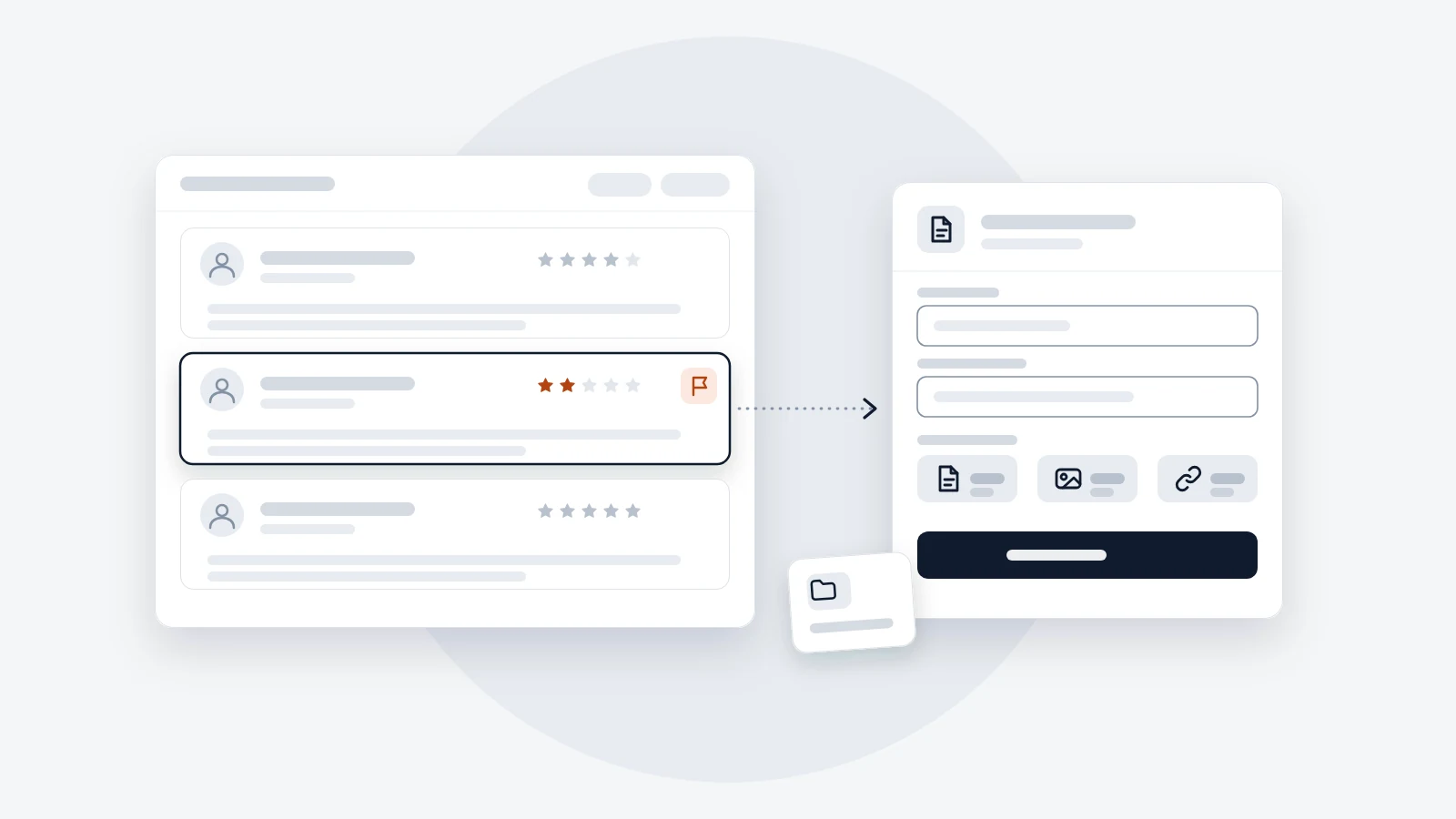
Step 2: Locate the Review and Select Report a Concern
Sign in to G2, find the published review, and open its three-dot menu.
Select Report a Concern to access the platform’s reporting process.
G2’s official reporting instructions explain the available option and recommend including as much relevant detail as possible.
Software vendors with appropriate access may also be able to report concerns through the Review Activity section of my.G2.
Step 3: Explain the Authenticity Concern
Describe the specific issue and why it may be inconsistent with G2’s published rules.
A clear report identifies the review, explains the relevant facts, and connects those facts to the suspected policy violation.
Avoid unsupported accusations, speculation about a reviewer’s identity, or statements based only on the review’s negative tone.
Step 4: Submit the Concern and Preserve Supporting Information
Submit the completed report using the official channel and retain the review URL and a copy of the information provided.
G2 explains that additional documents or screenshots can be supplied by replying to the confirmation email received after a concern is reported.
Share only relevant material that your company is authorized to disclose. Do not send unnecessary personal data or confidential customer records.
For a detailed walkthrough of the reporting interface and my.G2 workflow, see How to Report a G2 Review as a Software Vendor.
What Evidence Can Support a Fake Review Report?
There is no single document that proves every authenticity concern. The appropriate supporting information depends on the type of suspected violation.
Potentially relevant information may include:
- Product release documentation: Dated information that helps clarify whether a feature or capability existed during the experience described.
- Relevant product records: Appropriately obtained information that helps assess a specific claim, without disclosing unrelated customer data.
- Review screenshots: Copies of the published statements or details that prompted the concern.
- Publicly available affiliation information: Credible information relevant to a suspected conflict of interest, used responsibly and without attempting to identify an anonymous reviewer.
- Evidence of copied content: Identifiable sources showing why a review may involve plagiarism or prohibited duplication.
- A clear timeline: Dates and circumstances explaining why particular statements appear inconsistent with known facts.
Evidence should support the specific issue being reported. A broad collection of unrelated documents may make the concern harder to understand.
Keep the explanation factual, proportionate, and focused on G2’s guidelines.
Example of an Authenticity-Based Concern
The following example is illustrative. It does not describe a real review or establish that a particular statement is fraudulent.
We are requesting an authenticity assessment of the review at [review URL].
The review states that the writer used [specific product feature] during [stated period]. Based on our dated product documentation, that feature does not appear to have been available during the period described.
We recognize that this discrepancy may have an explanation. We are providing the relevant documentation and requesting that G2 assess whether the review reflects a genuine firsthand experience under its Community Guidelines.
We understand that G2 retains authority over the moderation outcome.
This format identifies the concern without claiming that the reviewer deliberately fabricated the experience.
The example should be adapted only when the company has accurate, relevant information to support the issue being raised.
What Happens After G2 Reviews Your Report?
After receiving a concern, G2 evaluates the information through its moderation procedures.
The platform may examine available authenticity signals, review the explanation, request additional documentation, or communicate an outcome.
According to G2’s Review Validity information, the moderation support team may follow up by email when additional information is needed or when an update or resolution is available.
Possible outcomes include retaining the review or removing it when G2 determines that a violation warrants that action.
Submitting a concern does not automatically remove, suspend, or hide the review.
G2 makes its own determination, and an independent service provider cannot override that decision.
What If G2 Does Not Remove the Review?
A decision to keep a review published does not necessarily resolve every disagreement about its content.
It means the review has not been removed through the moderation process based on the available information and applicable rules.
If G2 requests more details, provide relevant supporting material through the designated channel. If meaningful new evidence becomes available, assess whether it is appropriate to share that information.
Where available, a professional public response may also help the vendor address the review’s claims, clarify product information, or acknowledge legitimate concerns.
Do not attempt to pressure reviewers to change their feedback, investigate private identities, or submit repeated unsupported accusations.
The practical goal is to distinguish a potential policy violation from criticism that remains protected as a genuine user opinion.
Frequently Asked Questions About Fake G2 Reviews
Can fake G2 reviews actually be removed?
Yes. G2 may remove reviews that violate its authenticity or other Community Guidelines, including after publication. A business must still provide a relevant concern for moderation, and removal is not guaranteed.
Is an anonymous G2 review considered fake?
No. G2 permits anonymous publication while validating reviewer information internally. A review’s anonymity alone does not establish a policy violation.
What if I cannot find the reviewer in my customer database?
That may justify checking the circumstances, but it is not conclusive evidence of fraud. Some legitimate reviewers may be employees, consultants, guest users, or individuals whose product access was arranged through another organization.
Are AI-written G2 reviews automatically prohibited?
No. G2 permits certain AI-assisted reviews when the reviewer meets its eligibility and verification conditions and the content reflects a genuine firsthand experience. Fabricated claims and other prohibited AI-generated content may violate its rules.
Can a competitor post a review on G2?
G2 prohibits reviews by employees of a direct competitor because of the potential for bias. However, a suspected affiliation should be supported by credible information rather than assumptions.
What is the best way to report a suspected fake G2 review?
Use G2’s official Report a Concern process, identify the suspected guideline violation, and provide a factual explanation. Relevant supporting documentation can help G2 evaluate the issue.
Official G2 Resources
Review policies and reporting procedures may change. For current information, consult G2’s published documentation:
- G2 Community Guidelines — Requirements for reviewer eligibility, authenticity, conflicts of interest, and acceptable content.
- G2 Review Validity — Information about verification, fraud prevention, reporting concerns, and supporting documentation.
- How G2 Ensures Authentic Reviews — Overview of the platform’s authenticity checks.
- Reporting a Review for Moderation — Official instructions for flagging a published review.
G2 Review Removal is an independent service and is not affiliated with or endorsed by G2.
Concerned About a Review on G2?
If your company has identified a review that may conflict with G2’s guidelines, learn how our independent service approaches policy-based assessments and moderation assistance.
Explore Our G2 Review Removal Service